Room Details
This article explains how to consult, view, and understand room information in the TODO tab of the housekeeping module.
Overview
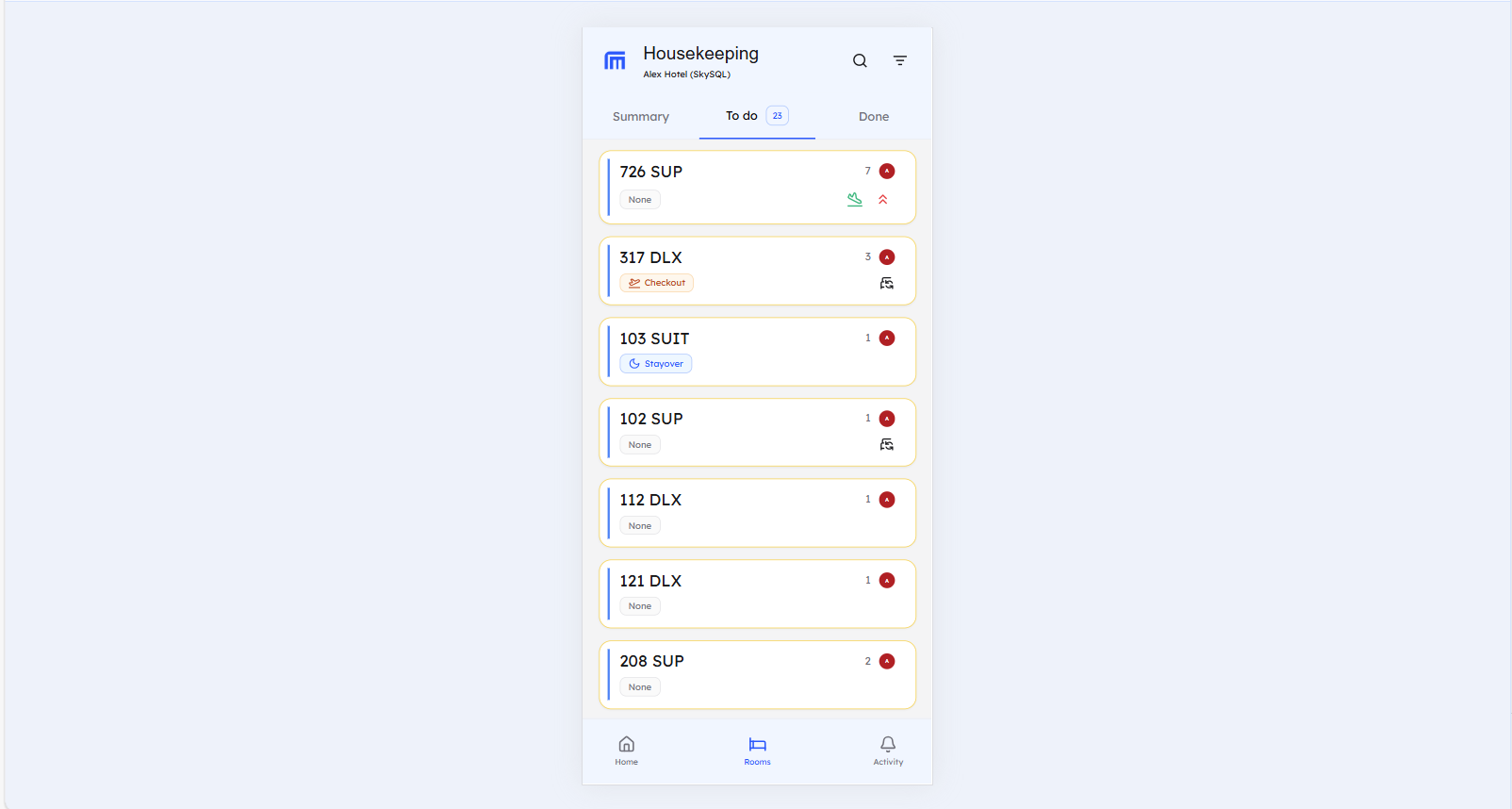
The TODO tab displays all rooms assigned to you in an organized card format. Each room card provides essential information at a glance, and clicking on a room opens detailed information in the Details tab.
Room List in TODO Tab
You will see a list of all rooms assigned to you in the TODO tab. Each room is displayed as a card showing:
Room Card Information
- Room Number - The unique identifier for the room
- Room Type - Classification of the room (DLX, SUP, QDLX...)
- Room Group (Zone) - The area or zone where the room is located
- Stay Type - Type of guest stay (Check-out, Stay-over, etc.)
- Priority Level - Task priority (High, Medium)
- Change Sheets Required - Indicates if bed linens need to be changed
- Arrival Status - Shows if there's an arrival scheduled for today
- Room Occupancy - Current occupancy status (Vacant or Occupied)
Room Details Tab
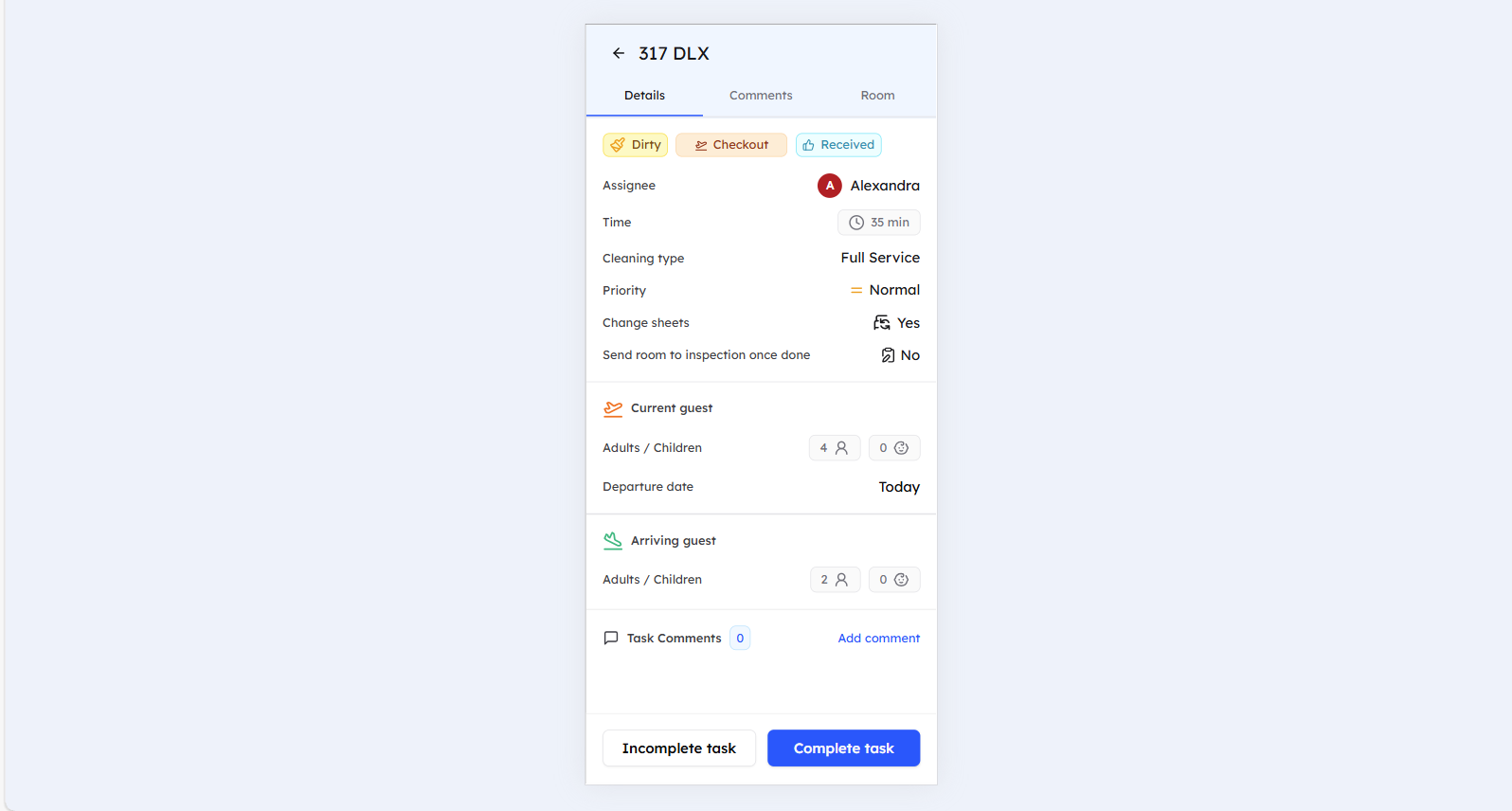
Clicking on any room card opens the Room Details tab, which displays comprehensive information:
Main Details Section
- Room Status - Current housekeeping status (Dirty, Clean)
- Stay Type - Type of guest stay
- Task Status - Current status of housekeeping task
- Assignee - You (the housekeeper assigned to the room)
- Time to Complete - Estimated time needed to complete tasks
- Cleaning Type - Specific type of cleaning required
- Priority - Task priority level
- Change Sheets - Whether bed linens need to be changed
- Inspection Required - Indicates if the room will be inspected after cleaning
- Current Guest Information - Details about current guest (if room is occupied)
- Arriving Guest Information - Details about incoming guest (if applicable)
Additional Room Information Tab
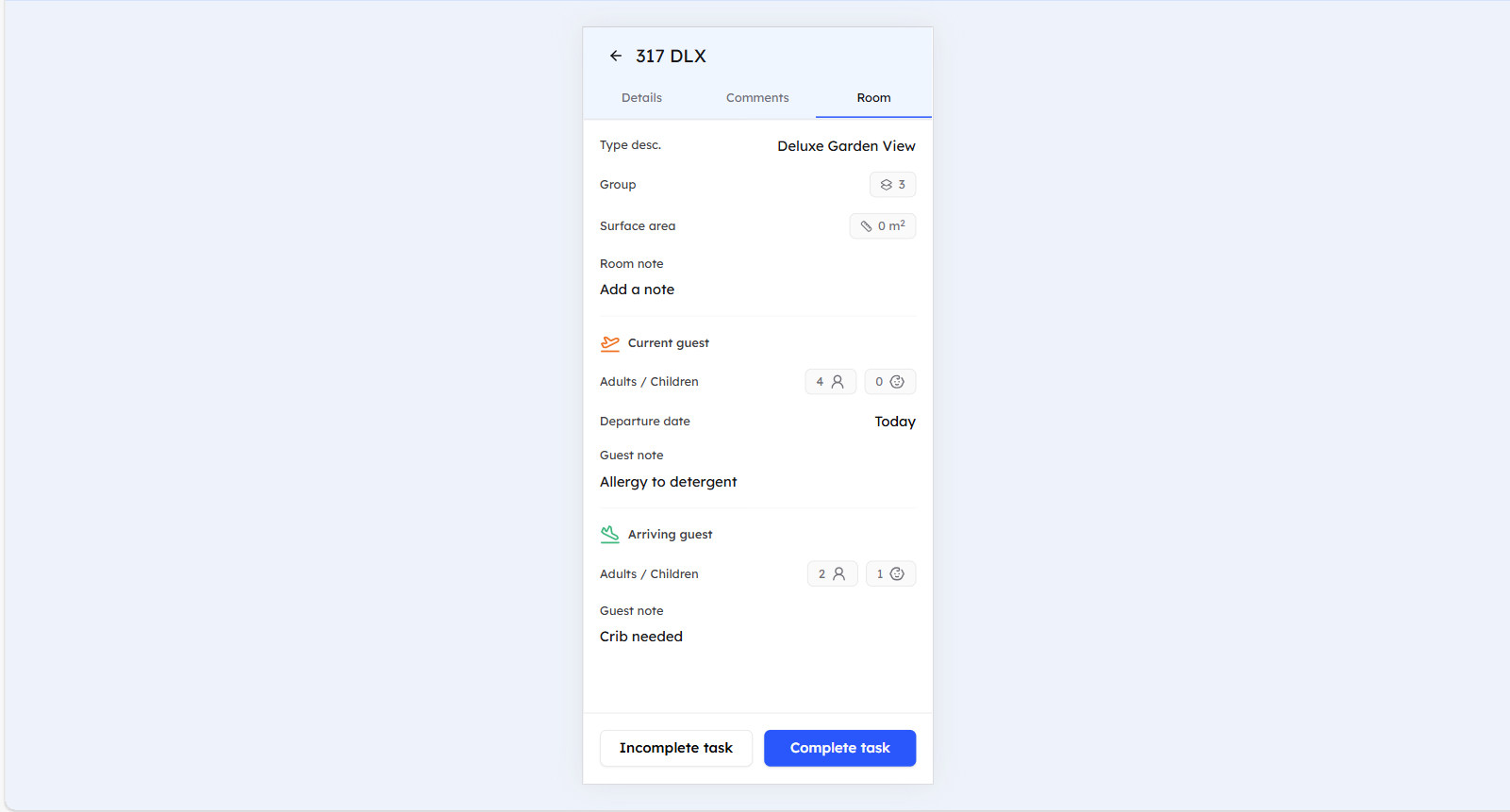
The Rooms tab provides additional details:
- Room Type Description - Detailed description of the room type
- Room Group - The zone or area classification
- Surface Area - Room size information
- Room Notes - Special instructions or notes for the room (if available)
- Current Guest Information - Guest details (if available)
- Arrival Guest Information - Guest details (if available)
Best Practices
- Review all room information before starting cleaning tasks
- Check priority levels to plan your work schedule
- Note any special requirements (change sheets, inspection needed)
Still Need Help?
If you're having trouble accessing or understanding room details:
- Check your internet connection and refresh for real-time updates
- Contact your system administrator for access issues
- For additional support, please contact our support team at support@roommaster.com or visit our Knowledge Base
- Refer to the Complete - Incomplete a task guide for status updates
- See the Add a comment guide for adding notes and instructions